

Books / General ledger
Keep each client’s books balanced through year end
Bookkeepers and accountants use the chart of accounts, journals and close controls to keep a client’s books.
S SecureWire Workflow illustration
Example workflow
ExampleGeneral ledger
Example clientExample steps
Open the client’s Books tabIn progress
JLReview the chart of accountsNot started
SKPost a balanced journalNot started
AMReview reportsNot started
JLSet lock dates or close the yearNot started
JLOpen the client’s Books tab01 / 05
Illustrative workflow and sample data. Register interest to discuss your requirements.
How this supports your work
Accountants can trace reports back to balanced entries and use lock dates to control changes after a period has been closed.
How it works
- Open the client’s Books tab
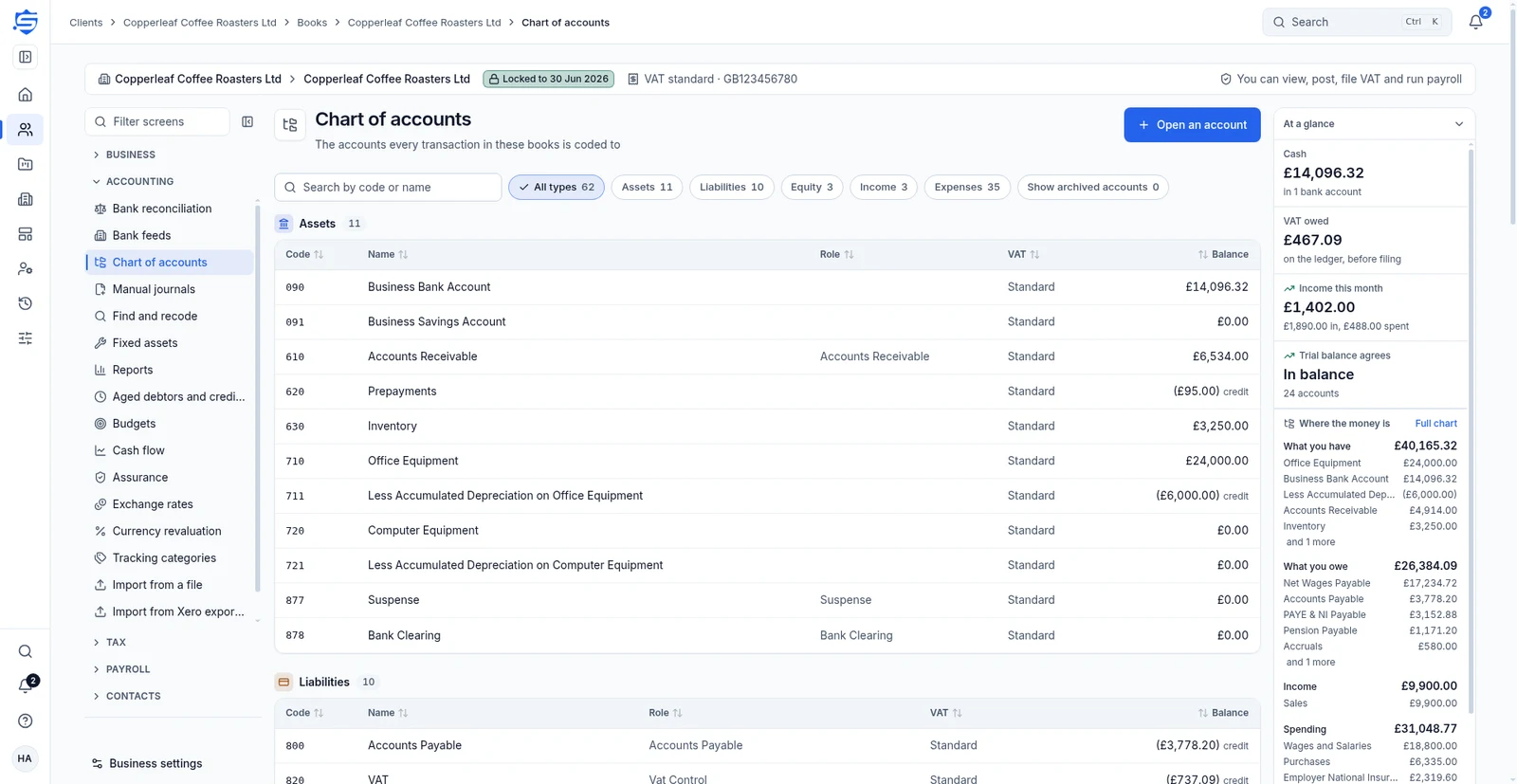
- Review the chart of accounts
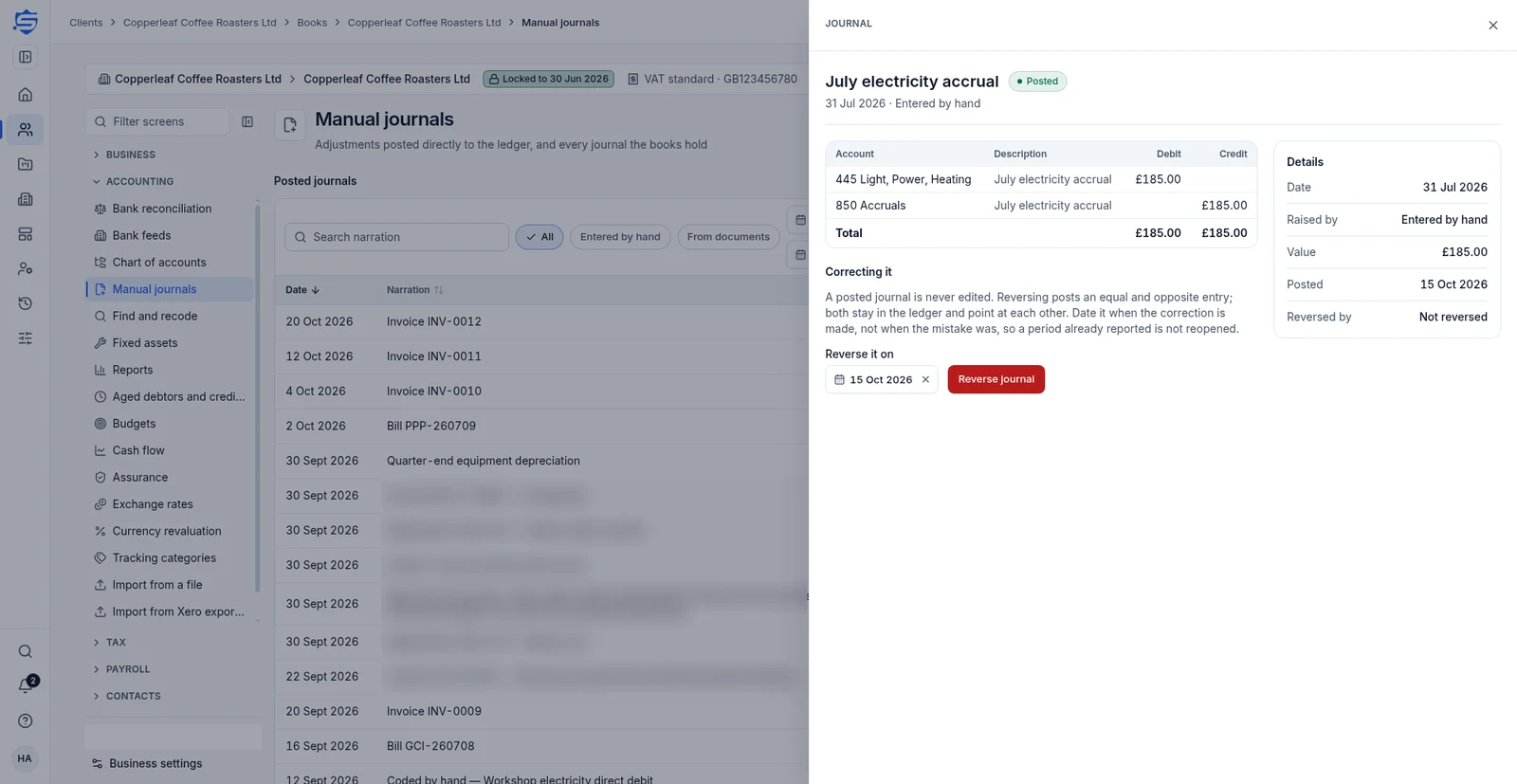
- Post a balanced journal
- Review reports
- Set lock dates or close the year
Use familiar UK account codes
Start from Xero’s UK chart of accounts codes, then add, edit or archive accounts. Use up to two active tracking categories.
Review the chart of accountsPost and correct journals
Manual journals must balance. Posted journals are corrected by reversing. Find and recode previews corrections and posts a correcting journal.
Post a balanced journalControl closed periods
Set working and statutory lock dates. Year-end close moves profit or loss to retained earnings and locks the year. Re-opening needs special permission and a reason.
Review reportsRelated features
Continue with the related work
Prepare for the launch
Tell us what your team needs from accounting software
Register interest in SecureWire and ask us about the modules you need.