

Books / Bank reconciliation
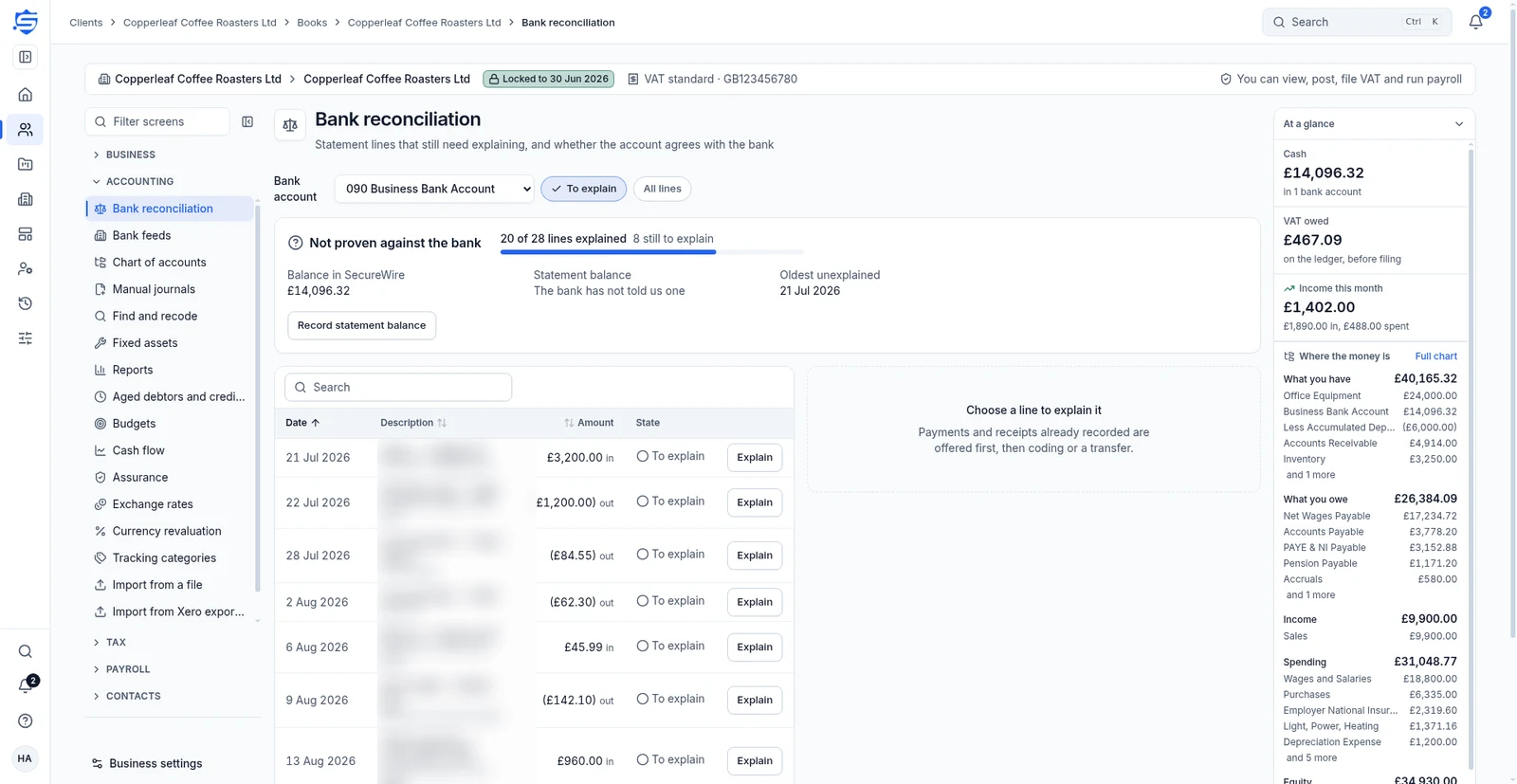
Match bank lines and check the statement balance
Bookkeepers use bank feeds or CSV statements to reconcile a client’s bank accounts against the books.
S SecureWire Workflow illustration
Example workflow
ExampleBank reconciliation
Example clientExample steps
Fetch transactions or import a statementIn progress
JLReview suggested matchesNot started
SKMatch or code each lineNot started
AMRecord statement balanceNot started
JLFetch transactions or import a statement01 / 04
Illustrative workflow and sample data. Register interest to discuss your requirements.
How this supports your work
Bookkeepers can settle invoices straight from suggested bank matches and code the remaining lines with VAT, without entering the same receipt twice.
How it works
- Fetch transactions or import a statement
- Review suggested matches
- Match or code each line
- Record statement balance
Bring in bank lines
Set up bank accounts, use bank feeds or import a CSV statement. Fetch transactions ready for reconciliation.
Review suggested matchesReview suggested matches
Each unexplained line has suggested matches with reasons. Choose This is it, settle an invoice, code the line with VAT or mark a transfer.
Match or code each lineProve the balance
Record the statement balance to check the account against the bank. Give a reason when undoing a match.
Record statement balanceRelated features
Continue with the related work
Prepare for the launch
Tell us what your team needs from accounting software
Register interest in SecureWire and ask us about the modules you need.