

Keep client details and work in one record
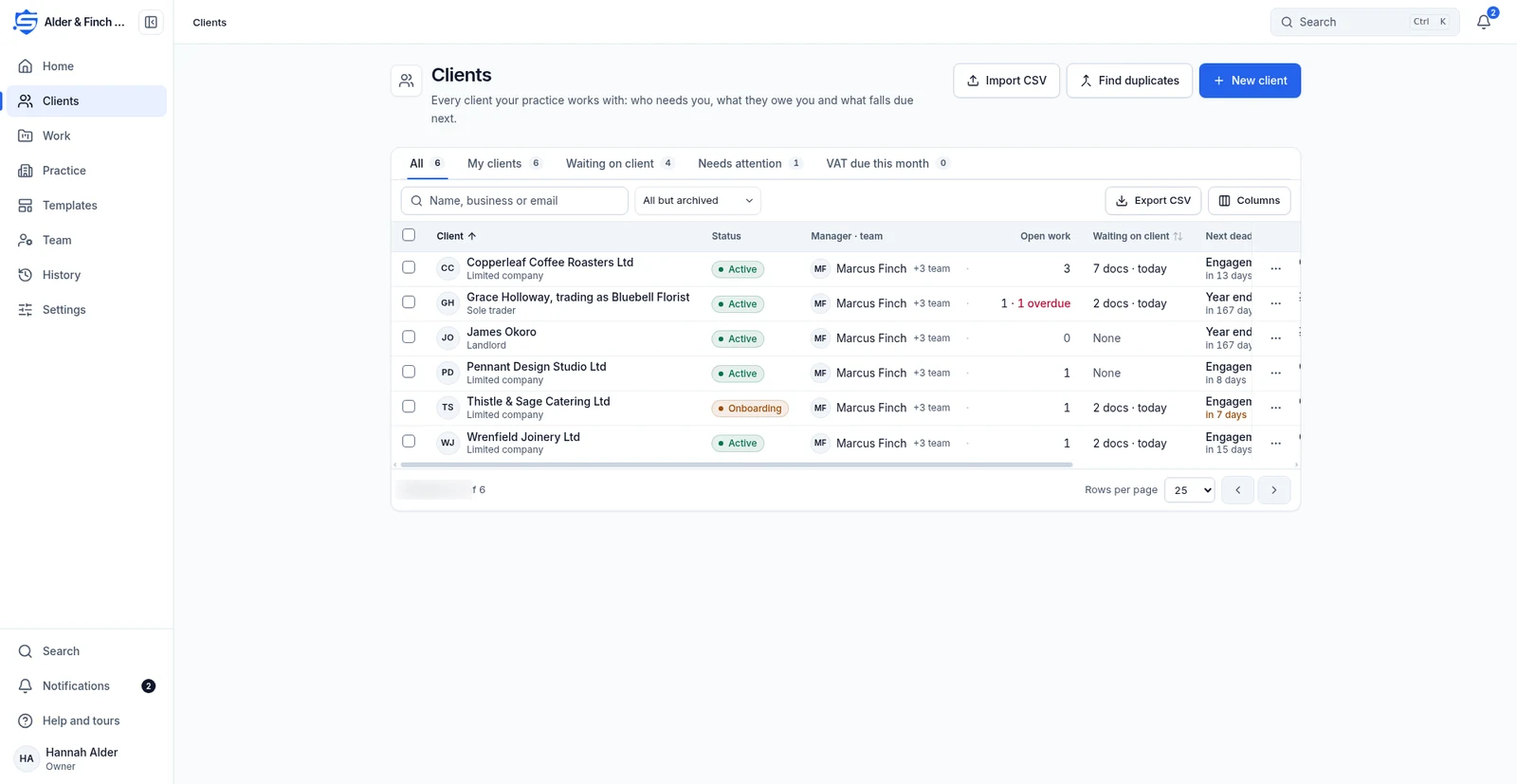
Practice staff use the client list and client record to find work, documents and books for each client.
Client management
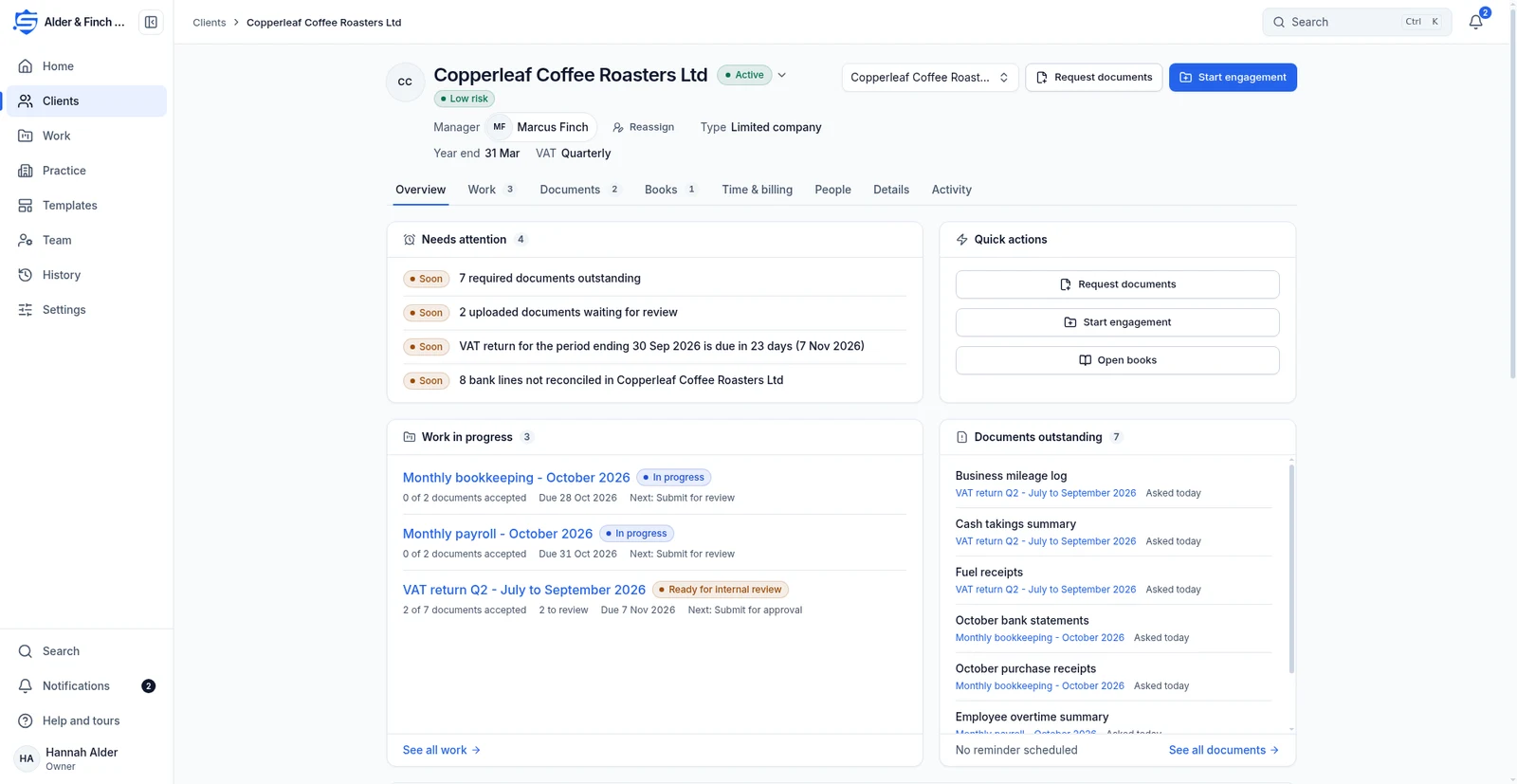
Practice staff can open a client’s work, documents and books from the same record, without searching through separate lists.
How it works
- New client
- Enter the details
- Open Overview
- Start an engagement or open the books
Find the clients who need attention
Use All, Mine, Waiting on client, Needs attention and VAT due this month. Import clients from CSV, find and merge duplicates, export the list and assign managers.
Enter the detailsOpen the client record
Overview brings together work in progress, outstanding documents, money from the books and deadlines. People holds contacts, the assigned team and portal access.
Open OverviewKeep details and activity together
Details holds masked tax references, addresses, notes and custom fields. Staff enter risk and KYC fields by hand. Activity records events for the client, its engagements and books.
Start an engagement or open the booksContinue with the related work
Tell us what your team needs from accounting software
Register interest in SecureWire and ask us about the modules you need.