

Request documents and follow up on missing records
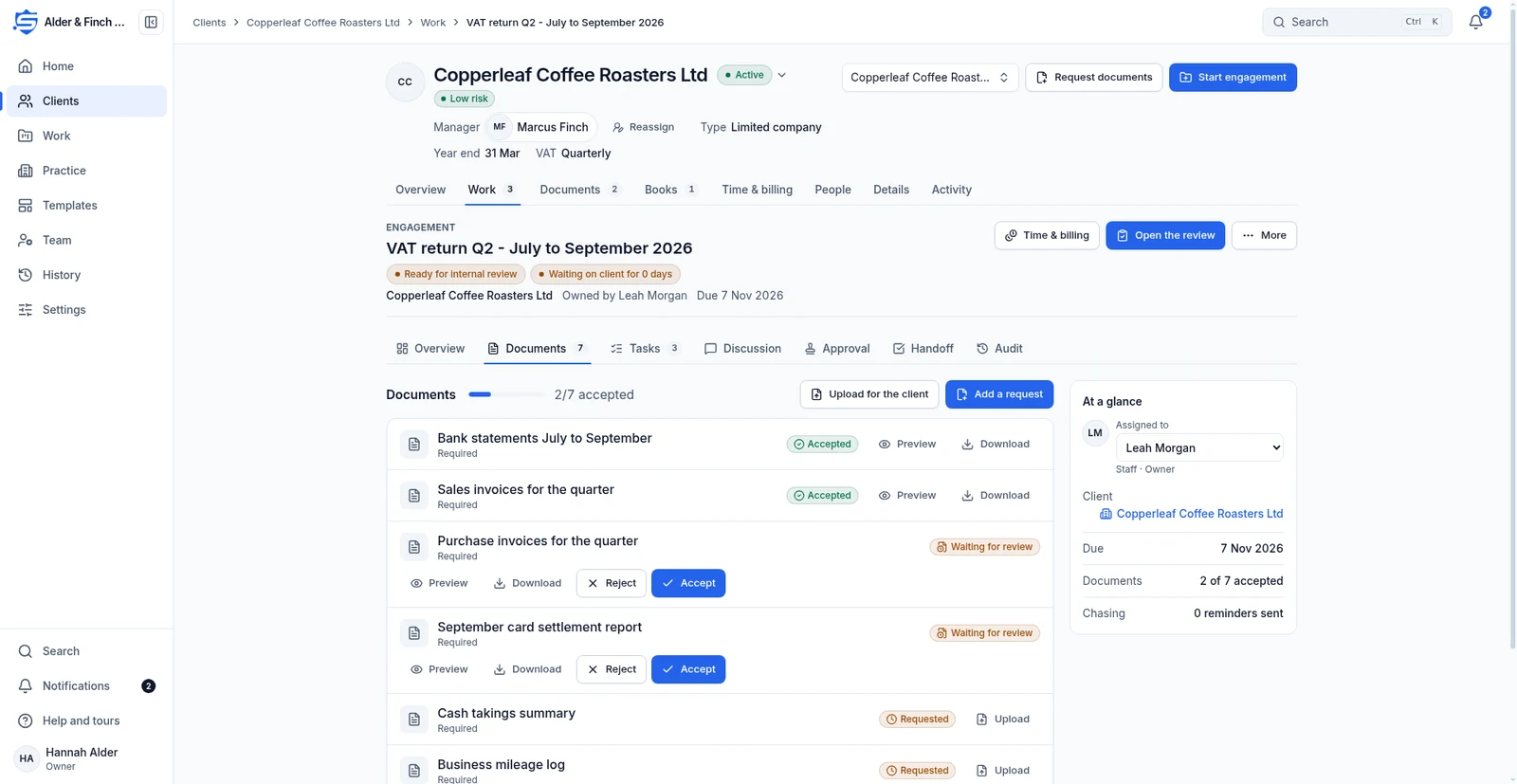
Staff request named documents and reviewers check uploads, while clients see what they still need to send.
Documents and chasing
Reviewers see which uploads need checking and staff can leave scheduled reminders to chase missing documents instead of sending each follow-up by hand.
How it works
- Request documents
- Client uploads in the portal
- Accept or reject with a reason
- Client replaces rejected files
Review each upload
Requests move from Requested to Uploaded to Accepted or Rejected. A rejection includes a reason and opens a fresh request. Work, Review lists waiting uploads oldest first.
Client uploads in the portalSet the chasing schedule
Reminders go out on days 3, 7 and 10 by default. On day 14 chasing stops and the case passes to a named person at the practice. Change or pause the schedule per template or engagement.
Accept or reject with a reasonUse secure links
Clients upload against a request through the portal. Secure links expire, by default within 30 days. Staff can upload on a client’s behalf, and previews are recorded in History.
Client replaces rejected filesContinue with the related work
Tell us what your team needs from accounting software
Register interest in SecureWire and ask us about the modules you need.